Blog / What Is a Document Management System (DMS)?
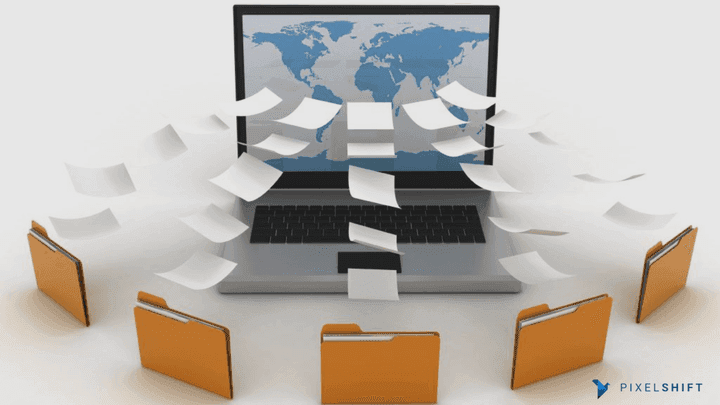
What Is a Document Management System (DMS)?
Learn what a Document Management System (DMS) is, how it works, its core features and business benefits. A complete guide to choosing and implementing the right DMS for your organisation.
Most Australian organisations are drowning in documents—contracts scattered across inboxes, outdated versions hidden in shared drives, and critical files buried somewhere on someone’s desktop. As the volume of information grows, so do the risks: lost documents, slow approvals, duplicated work, compliance mistakes and frustrated staff who spend more time searching than actually working.
These issues don’t just slow down your day. They lead to real business impact. Decisions stall because no one has the right document. Clients wait longer for updates. Teams work from the wrong version. Sensitive information ends up where it shouldn’t. And when an audit or compliance check arrives, the scramble to “find everything” becomes a stressful, time-consuming mess. What should be simple turns into a headache that repeats itself every week.
A Document Management System (DMS) puts an end to this chaos by bringing every document into one organised, searchable and secure place. It helps your team find information instantly, automate approvals, protect sensitive files and keep your business compliant.
What Is a Document Management System (DMS)?
A Document Management System (DMS) is software that stores, organises and manages documents in a central, secure location. Instead of relying on scattered folders or email attachments, a DMS gives your organisation a structured and searchable environment where documents are easy to store, track, find and share.
A modern DMS goes beyond basic storage. It offers features like metadata tagging, AI-powered search, version control, workflow automation, permission management and audit trails—all designed to help teams find the right information faster and work with confidence.
Solutions such as Pixelshift DMS provide a cloud-based, Australian-ready platform that makes document control simpler, stronger and more reliable across your entire organisation.
Why Australian Organisations Need a Document Management System
Australian organisations generate countless documents every single day—contracts, proposals, invoices, HR files, reports, project briefs, safety records, compliance documents and customer communications. As teams grow and systems expand, these documents spread across inboxes, desktops, shared drives and cloud folders.
Without a structured system to control them, problems appear quickly:
- Staff can’t find the documents they need
- Different teams use different versions
- Approvals are slow and inconsistent
- Sensitive information becomes exposed
- Audits take far longer than they should
- Customers wait longer for answers
- Time and money are wasted on avoidable errors
A Document Management System (DMS) fixes this by centralising all documents into one organised, secure and searchable environment. Instead of navigating messy folders or recreating lost files, staff work with clarity and confidence.
Key Insight: The Reality in Most Workplaces 83% of employees struggle with version control 47% say they can’t find important documents when they need them
Poor document management can cost businesses thousands of hours each year
These challenges grow larger as the organisation scales—making a DMS not just helpful, but essential.
How a Document Management System Works
A Document Management System (DMS) controls every stage of a document’s journey—from creation to approval, storage, security, and final archiving. Instead of relying on scattered folders or manual checks, a DMS creates one structured pathway that every document follows.
This structured approach reduces errors, speeds up workflows, and ensures that documents stay accurate, accessibl,e and compliant across the entire organisation. Pixelshift DMS is designed around this lifecycle, giving Australian organisations a clear, automated, and secure way to manage their documents from beginning to end.
The Document Lifecycle Inside a DMS
A DMS manages documents through eight key stages:
- Document Creation or Upload - Documents enter the system through uploads, scanning, email capture or digital forms.
- Metadata Tagging - The DMS applies metadata such as document type, client name, date, department and project number.
- Indexing & Classification - Documents are sorted automatically into the correct category, workspace or project area.
- Secure Storage - Files are stored in controlled repositories with encryption, access rules and version protection.
- Collaboration & Editing - Teams can comment, edit, co-author or check out documents using tools like Microsoft 365 or Google Workspace.
- Review & Approval Workflows- Automated workflows route documents to the right people at the right time.
- Audit Logging - Every access, edit or approval is recorded for compliance and transparency.
- Retention or Disposal- The DMS applies retention policies to archive or delete documents at the correct time. This cycle ensures documents stay accurate, traceable and secure—something traditional file-sharing tools cannot guarantee.
Key Features of a Modern Document Management System
A modern Document Management System (DMS) goes far beyond simple digital storage. It provides intelligent tools that help organisations organise information, protect sensitive data, automate processes and improve collaboration.
Below are the essential features that define today’s leading DMS platforms, including Pixelshift DMS, which is purpose-built for Australian organisations.
4.1 Cloud-Based Document Storage
A cloud DMS stores documents securely online so teams can access them anytime, from any device. There are no servers to maintain and no risk of losing files due to hardware failures. Cloud systems offer:
- Remote access for hybrid teams
- Automatic backups and redundancy
- Fast performance
- Lower IT overhead
- Easy scalability Pixelshift DMS is hosted in Australia, giving organisations confidence in local data protection and performance.
4.2 Metadata and Intelligent Indexing
Metadata describes what a document is—its type, client name, date, project number, department or purpose. Strong metadata makes documents easier to:
- Search
- Sort
- Retrieve
- Automate
- Track
4.3 AI-Powered Search
AI search allows staff to find documents instantly in large systems. It can read:
- PDFs
- Scanned documents
- Emails
- Word and Excel files
And supports natural language queries such as: “Show me the latest signed contractor agreement for Project Brighton.”
4.4 Version Control
Version control ensures teams always work on the correct version of a document. Every change is saved automatically with:
- Who made the change
- When it was made
- What was edited
- The ability to roll back
4.5 Audit Trails
Audit trails create a complete history of all document activity. A DMS records:
- Who accessed a file
- What they changed
- When actions occurred
- Which approvals were given
- Any permission updates
This is essential for Australian compliance requirements like the Australian Privacy Principles (APPs).
4.6 Collaboration and Co-Authoring
Instead of emailing documents back and forth, a DMS brings teams together in one shared environment. A modern DMS supports:
- Real-time editing
- Comments and notes
- Shared workspaces
- Check-in/check-out
- Integration with Microsoft 365 and Google Workspace
4.7 Workflow Automation
Workflow automation replaces slow, manual processes with streamlined, predictable steps. A DMS can automate:
- Invoice approvals
- Contract signing
- HR onboarding
- Compliance reviews
- Policy updates
- Document expiry notifications
Statistics: Workflow automation leads to up to 30% productivity gains and 10% cost reductions.
4.8 Security, Governance and Compliance
A DMS protects sensitive information with:
- Role-based permissions
- Multi-factor authentication
- Encryption at rest and in transit
- Retention rules
- Litigation holds
- Document classification
4.9 Integrations and Extensibility
A DMS becomes even more powerful when it integrates with everyday business tools. Modern systems connect with:
- Microsoft 365
- Google Workspace
- CRM systems
- ERP platforms
- Accounting software
- E-signature tools
Pixelshift DMS integrates seamlessly with existing workflows, helping teams avoid duplication and keep data consistent.
Types of Document Management Systems
Document Management Systems come in several forms, and each one offers a different level of control, flexibility, and security. The right choice depends on your organisation’s size, compliance obligations, internal capabilities, and long-term digital strategy. Below are the three main types used by Australian organisations today.
Cloud-Based Document Management Systems
A cloud DMS stores documents on secure remote servers and makes them accessible through the internet. This is now the most common option for modern organisations because it removes the need for physical servers and ongoing hardware maintenance. Cloud systems are flexible, easy to scale and ideal for hybrid working environments. Teams can access files from any device, updates happen automatically and data is backed up continuously.
Pixelshift DMS is designed as a cloud-first platform, giving Australian organisations a secure, fast and reliable way to manage documents without heavy IT overhead.
On-Premises Document Management Systems
An on-premises DMS is installed on servers that your organisation owns and manages. This option provides complete control over infrastructure, which can be important for organisations operating in highly regulated industries or dealing with sensitive information.
However, on-prem systems require larger upfront investment, regular maintenance, dedicated IT staff and ongoing security management. They offer strong control but less flexibility, especially for teams working across multiple locations.
Hybrid Document Management Systems
A hybrid DMS combines cloud and on-prem storage. Some documents remain on internal servers for security or compliance reasons, while other documents move to the cloud for easier access and collaboration.
This model is often chosen by organisations transitioning away from legacy systems or those with mixed requirements across departments. It offers a balanced approach, allowing teams to modernise without fully moving away from existing infrastructure.
Which Option Suits Most Australian Organisations? Many businesses now choose cloud-based systems because they’re easier to use, faster to deploy, and require far less technical management. Cloud DMS platforms like Pixelshift provide strong security, flexible storage, remote access and automatic updates, making them a practical choice for modern workplaces. On-premises and hybrid systems still have their place, but cloud solutions deliver the greatest long-term efficiency and scalability for most teams.
Business Benefits of a Document Management System
A Document Management System (DMS) can make a big difference in how an organisation works every day. It replaces messy folders, slow searches and confusing email chains with one organised place where all documents live. This helps teams work faster, make better decisions and avoid mistakes.
Here are the main benefits of using a DMS: • Faster Access to Documents Staff can find files in seconds instead of digging through emails or crowded folders.
• Better Teamwork Everyone works on the same, correct version of a document, which makes collaboration easier and avoids confusion.
• Stronger Compliance and Organisation A DMS keeps track of document changes, stores important information safely and helps meet rules and standards.
• Lower Costs Less printing, less paper and fewer manual tasks mean lower operating costs over time.
• Smoother Approvals and Workflows Documents move through the right steps automatically, helping tasks get finished faster.
• Safer Document Storage Access controls and security tools protect sensitive files from being seen or changed by the wrong people.
• Better Communication Teams can respond more quickly and confidently because they always have the right information at hand.
• More Transparency Clear records show who created, edited or approved a document, helping everyone stay accountable.
• Stronger Business Continuity Documents are safely stored and backed up, so important information isn’t lost if something goes wrong.
Best Practices for Implementing a Document Management System
Setting up a Document Management System (DMS) works best when organisations follow a clear plan. With the right approach, the transition becomes smoother, staff feel more confident and the system delivers better results from day one.
Here are the best practices to follow when implementing a DMS: • Start With a Clear Structure Plan how documents will be organised. Decide on folders, categories and naming rules so everyone follows the same structure from the beginning.
• Use Strong Metadata Rules Metadata is information that helps you find documents later. Choose simple and consistent labels, like document type, department or project name.
• Set Up Permissions Carefully Give staff the right level of access. Make sure each person can only view or edit the documents they need for their job.
• Identify Key Workflows to Automate Look for tasks that slow teams down, like approvals or reviews. Turning these into automated workflows saves time and reduces mistakes.
• Provide Training and Support Help staff learn the new system. Show them how to search, upload, edit and follow workflows so they feel confident using the DMS.
• Start Small, Then Expand Begin with one department or document area. Once everything runs smoothly, roll out the system to the rest of the organisation.
• Review and Update Regularly A DMS isn’t “set and forget.” Check permissions, metadata and workflows from time to time to make sure everything stays accurate and useful.
How to Choose the Right DMS for Your Organisation
Choosing the right Document Management System (DMS) is an important decision. A good DMS should match your organisation’s goals, support your daily work and make document handling easier for everyone. To pick the best fit, it helps to look at a few key factors. • Understand Your Main Needs Start by identifying the problems you want to solve. Do you need faster approvals? Better search? Stronger security? Knowing your priorities makes the choice clearer.
• Decide Between Cloud, On-Premises or Hybrid Cloud systems are easy to use and don’t need physical servers. On-premises systems offer more control but need more IT support. Hybrid systems give you a mix of both. Choose the option that suits your resources and security needs.
• Look for Flexible Metadata Options Metadata helps keep documents organised. A good DMS should allow you to create and customise metadata fields based on your workflow.
• Check the Workflow Automation Features Automated workflows save time and reduce manual work. Choose a DMS that lets you build simple, clear and custom workflows that match your processes.
• Review the Security Features Security is essential. Make sure the system includes permission controls, encryption, access logs and secure authentication options.
• Ensure It Integrates With Your Existing Tools A strong DMS should connect smoothly with tools you already use, such as email apps, office software, CRM systems or accounting platforms.
• Test the User Experience A DMS may have many features, but it must also be easy for staff to use. Look for a simple interface, quick search, and straightforward upload and editing.
• Evaluate Support and Long-Term Reliability Choose a provider that offers clear guidance, training and ongoing support. A reliable DMS needs regular updates, strong documentation and responsive help when needed.
Summing Up
Managing documents and emails across a busy organisation can be challenging, especially for legal teams and enterprise environments where accuracy, security and control matter every day. A Document Management System helps solve these problems by keeping everything organised, easy to find and simple to manage. With the right DMS, teams can store files safely, work together without confusion, track every change, and handle important tasks with much less manual effort. It also supports better compliance by recording activity, controlling access and keeping clear histories of who did what.
Pixelshift brings all of this together in one platform. It gives organisations a secure and modern way to handle documents, share files, manage emails, control permissions and track workflows from a single system. By combining file management, email automation, versioning, commenting and mobile access, Pixelshift helps teams stay organised, work smarter and reduce everyday friction. If your organisation is ready to simplify the way it manages documents and emails, now is the perfect time to get started.
Subscribe to Pixelshift DMS Today
Pixelshift is built for teams that need secure, reliable and easy-to-use document and email management. It gives legal and enterprise organisations one platform to store files, track emails, manage permissions, and collaborate without switching between multiple tools.
When you subscribe to Pixelshift, you gain access to:
- Multi-organisation support so users can work across different companies with full data separation
- Workspaces that group files, people and permissions for each team or project
- Role-based access control to ensure only the right people see or edit sensitive documents
- Document versioning to keep track of every change
- File commenting for smooth and clear collaboration
- Secure external file sharing with controlled access
- Integrated email management, saving attachments and capturing important emails automatically
- A unique proxy email that routes files and messages directly into Pixelshift
- A Gmail add-on for one-click saving into folders or workspaces
- Built-in PDF and file tools, including convert, merge, compress and scan
- A complete activity log showing every action and event
- A mobile app for iOS and Android, so teams can work from anywhere
Pixelshift gives your organisation the foundation it needs to operate with confidence, security and speed.
Subscribe to Pixelshift today and take control of your documents and emails with a system built for modern, high-performing teams. A simpler, smarter workflow starts here.