Blog / Cloud-Based Document Management for Law Firms
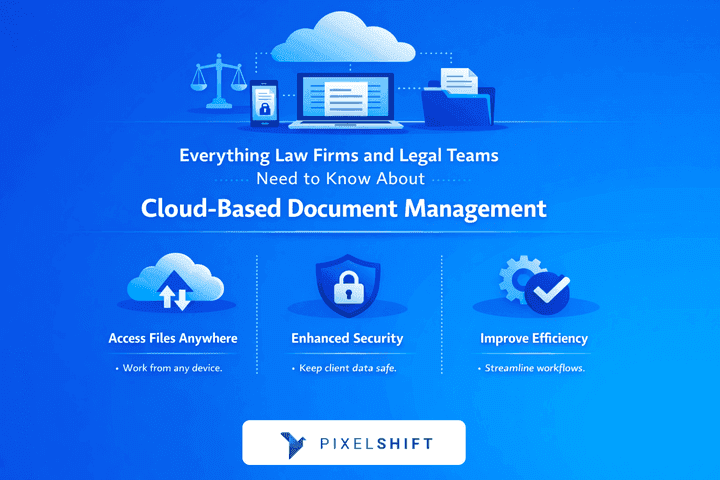
Cloud-Based Document Management for Law Firms
Learn how cloud-based document management system helps law firms improve security, compliance, and daily workflows, with a practical PixelShift option.
Law firms handle large volumes of documents such as contracts, pleadings, evidence, emails, and client records. These documents must be accurate, secure, and easy to retrieve. Weak document control increases the risk of data breaches, missed deadlines, and version errors.
Cloud-based document management systems are widely used by law firms to store, organise, and control access to legal documents using secure online infrastructure instead of local office servers.
This article explains how cloud-based document management works in law firms, what problems it solves, and how legal teams can assess whether a cloud system fits their operational and compliance needs.
What Is Cloud-Based Document Management?
Here, the basic concept of the legal team’s clear understanding is explained: how cloud-based document management systems differ from traditional storage methods.
Cloud-based document management is a system where documents are stored on secure remote servers and accessed through the internet using login credentials and permissions.
In a legal cloud document management system:
Documents are stored in one central repository
Access is limited by user role, case, or department
Every action is logged, including viewing and editing
Files are backed up automatically
This approach reduces reliance on local storage and allows controlled access across offices and locations.
Why Cloud-Based Document Management Matters for Law Firms
Cloud document management is a practical requirement, not just a convenience. Law firms operate under strict confidentiality, record-keeping, and compliance rules. Traditional tools such as shared drives or email attachments make it difficult to control access and track document history.
Cloud-based document management helps law firms by:
Centralising document storage
Applying access rules consistently
Recording document activity for audits
Reducing the risk of lost or outdated files
These controls support both client confidentiality and regulatory obligations.
Key Benefits of Cloud-Based Document Management for Legal Teams
The main practical benefits law firms experience when they use cloud document systems in daily legal work.
Document Security and Access Control
Cloud systems use encryption and permission settings to protect legal documents. In practice, this means:
Only approved users can open sensitive files
Access can be restricted by matter or role
All access attempts are recorded
This reduces the risk of internal misuse and external data exposure.
Remote Access Without Local Servers
Cloud systems allow lawyers to work without depending on office servers. This supports:
Court work and client meetings
Remote and hybrid working arrangements
Coordination between offices
Access remains controlled through login rules and security policies.
Version Control and Document History
Legal documents often have to go through many revisions. Cloud-based systems:
Keep one active version
Save older versions automatically
Show who made changes and when
This helps prevent mistakes caused by using outdated drafts.
Structured Collaboration
Cloud systems help to reduce the need for email-based document sharing. Legal teams can:
Review documents in one system
Add comments in a controlled space
Track approval status clearly
This improves accuracy and accountability.
How Cloud-Based Document Management Works in a Law Firm
The cloud document management system fits into everyday legal workflows. The cloud system helps with the following tasks.
A typical process includes:
Documents are uploaded or created in the system
Files are organised by client or matter
Permissions are assigned
All activity is logged
Backups run continuously
Lawyers continue working normally while the system manages structure and security in the background.
Common Use Cases for Legal Teams
The common practice can clearly show where cloud document management is used in legal practices and firms.
Typical use cases include:
Matter and case file storage
Contract drafting and tracking
Client document sharing
Email and attachment filing
Audit and compliance preparation
These use cases replace manual filing and reduce administrative risk.
Security and Compliance Considerations
The cloud-based document management system focuses on meeting the legal and regulatory obligations.
Law firms must follow data protection laws and professional conduct rules. A suitable cloud system should provide:
Role-based access control
Full audit logs
Document retention rules
Secure external sharing
Security must be enforced by the system, not left to individual users.
Cloud-Based vs On-Premise Document Management
Here is the comparison between the cloud-based and the traditional on-site document management systems to help you understand the difference more clearly.
On-Premise Document Management
Uses physical servers
Requires ongoing IT maintenance
Limits remote access
Involves higher long-term costs
Cloud-Based Document Management
Uses provider-managed infrastructure
Reduces hardware and maintenance needs
Supports secure remote access
Scales without server upgrades Most modern law firms prefer cloud systems due to lower operational burden.
Comparison Table – Document Management Options for Law Firms
This table summarises how different document management approaches compare in practice.
| Criteria | On-Premise DMS | Traditional Cloud DMS | PixelShift |
|---|---|---|---|
| Central document storage | Yes | Yes | Yes |
| Role-based access | Yes | Yes | Yes |
| Remote access | Limited | Good | Strong |
| Version control | Manual | Automatic | Automatic |
| Audit trails | Manual | Available | Built-in |
| Ease of use | Low | Medium | High |
| Scalability | Limited | Good | High |
At this stage, many firms realise they need a system that combines strong control with ease of daily use. This is where PixelShift is often evaluated as a practical option for legal teams.
Explore how PixelShift supports cloud-based document management for law firms
Common Mistakes Law Firms Make When Moving to the Cloud
The highlights of the issues that can reduce the value of cloud systems are also mentioned here to help you avoid them. Common mistakes include:
Poor permission planning
Lack of staff training
Choosing systems that are too complex
Migrating all documents at once
Firms that move in stages and set clear access rules tend to see better results.
What to Look for in a Cloud-Based Document Management System
Here is how this blog helps law firms evaluate systems objectively. It focuses on the features and controls that matter most in daily legal work, such as security, ease of use, access control, and the ability to support future growth.
By understanding these points, legal teams can compare systems based on real needs instead of marketing claims. Key factors include:
Security controls and audit logs
Ease of daily use for lawyers
Clear document structure
Ability to grow with the firm
A reliable system matters more than a long list of features.
Where PixelShift Fits for Law Firms and Legal Teams
PixelShift fits within the range of cloud-based document management options used by law firms and legal teams, offering a balance between security, usability, and control.
It is designed for legal teams that need structured document control without complex enterprise setup. It supports:
Secure cloud-based document storage
Role-based access and audit tracking
Simple workflows for daily legal work
Easy scaling as teams and cases grow
PixelShift focuses on usability while maintaining the controls required in legal environments.
Why Legal Teams Use PixelShift
Legal teams often choose PixelShift for its practical approach to cloud-based document management.
Legal teams use PixelShift because it:
Reduces manual document handling
Simplifies access control
Supports compliance without heavy configuration
Requires minimal training
This makes it suitable for small to mid-sized law firms and legal departments.
Best Practices for Law Firms Using Cloud-Based Document Management
Effective use of cloud-based document management depends on clear processes and consistent practices.
Best practices include:
Clear folder and matter structure
Defined access roles
Regular permission reviews
Basic user training
Strong processes improve system reliability.
Final Thoughts
Cloud-based document management is now a standard requirement for modern law firms. It improves security, access control, collaboration, and compliance while reducing infrastructure burden.
The right system should support legal work rather than complicate it. For law firms looking for a secure, practical, and easy-to-use cloud document management solution, PixelShift provides a balanced approach built around real legal workflows.
Request a PixelShift demo to see how it fits your firm’s document management needs
Frequently Asked Questions
Is cloud-based document management safe for law firms? Yes. When configured correctly, cloud systems use encryption, role-based access, and activity logs to protect sensitive legal documents. These controls help prevent unauthorised access and support confidentiality requirements.
Can cloud systems fully replace on-premise legal DMS? Yes. Many law firms have moved from on-premise systems to cloud solutions to reduce IT maintenance while improving secure access. Cloud systems provide document control without the need for physical servers.
How does cloud document management support compliance? Cloud systems record document access, changes, and retention history. This information supports audits, regulatory reviews, and professional conduct requirements.
How long does it take to migrate to cloud document management? Migration time depends on document volume and structure. Most law firms move in stages, starting with active cases, to avoid disrupting daily work.
Can cloud document management support firm growth? Yes. Cloud systems scale easily as teams, cases, and documents increase. Firms can grow without changing infrastructure or systems.